
Build without
An open-source game engine written entirely in Rust. Custom GPU-driven renderer, ECS core, visual blueprint scripting, and a crash-isolated editor — built to compete at the highest level.
02 / Core Technology
A stack chosen
deliberately.
Every component exists because it makes the engine better — not because it was trendy.

Rust all the way down
The editor, renderer, physics, and plugins are all standard Rust. Your project is a Cargo workspace with an ECS core — no managed runtime, no garbage collector. An optional bytecode VM for visual scripts calls into Rust-backed dynamic libraries, giving you rapid iteration without sacrificing native performance.

Helio — GPU-driven renderer
Helio is Pulsar's custom wgpu renderer built from scratch. A GPU-driven pipeline with compute-shader frustum culling means the CPU hot path is O(1) regardless of scene size. Zero-copy texture sharing keeps pixel data in VRAM through the full compositor stack.

Rapier3D physics
Pure-Rust physics running on a dedicated background thread at a fixed 60 TPS — fully decoupled from the render loop. Rigid bodies, collision detection, joints, and constraints, all deterministic and WASM-compatible.
03 / The Editor
A professional environment,
without the lock-in.
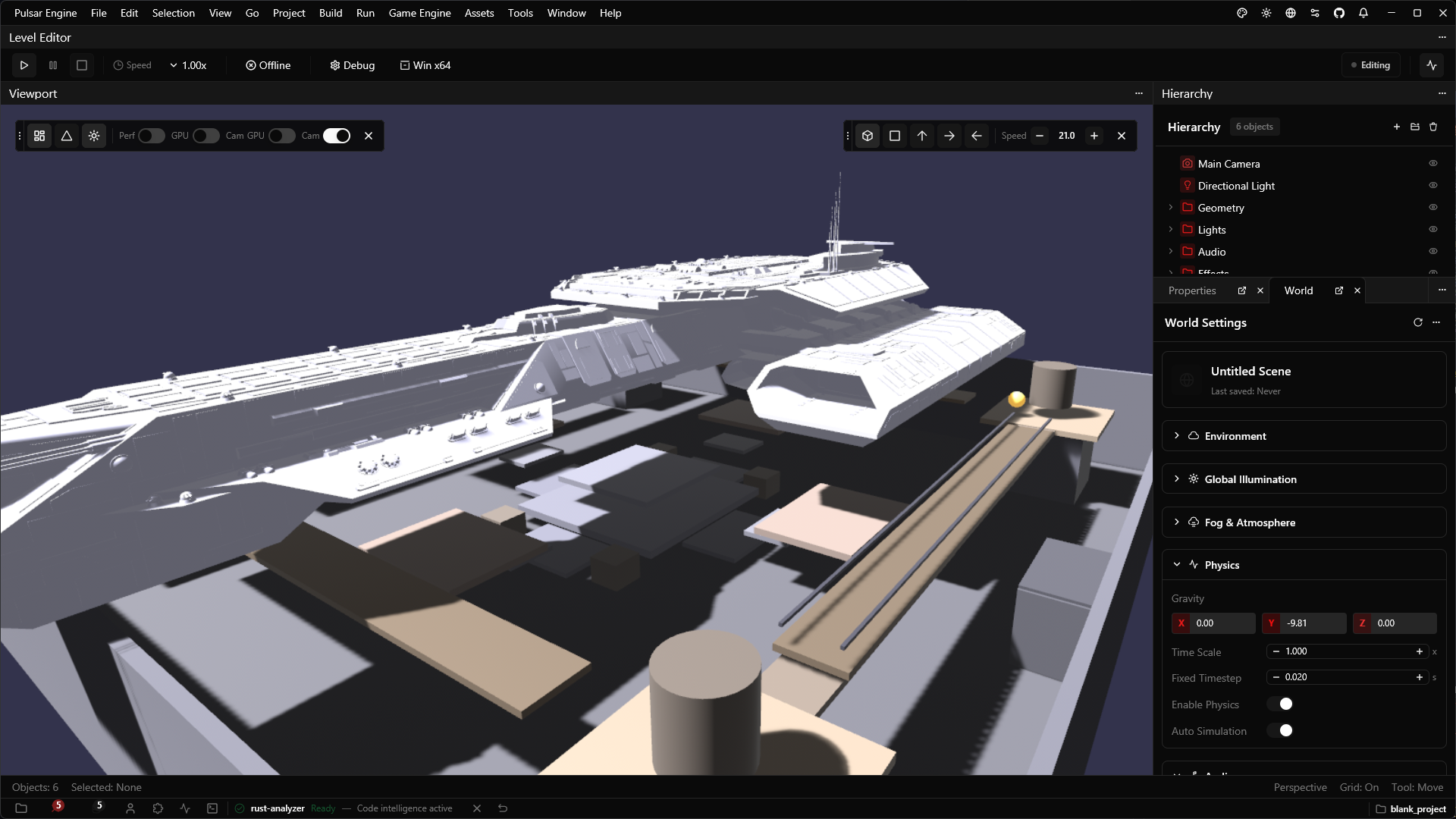
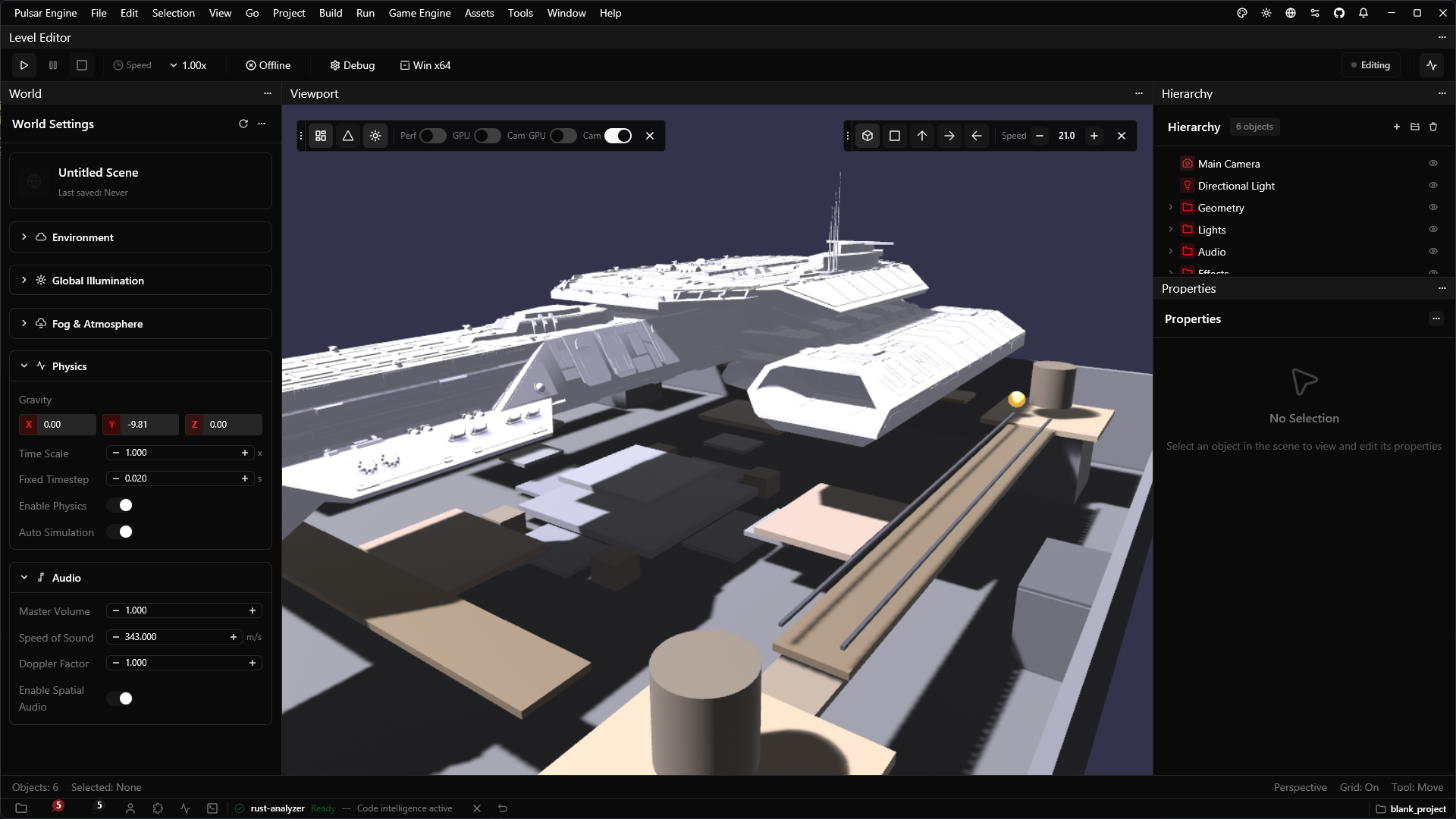
Pulsar's editor is built on GPUI — the same GPU-accelerated UI framework that powers the Zed editor. It runs in its own thread, meaning a game crash never takes down your workspace. Everything you see can be replaced or extended with a compiled Rust plugin.
- Visual blueprint scripting backed by a Rust-native bytecode VM
- Multi-panel layout — dockable viewport, asset browser, terminal, profiler
- Integrated Rust Analyzer LSP for in-editor code intelligence
- Live scene editing with real-time physics preview at fixed 60 TPS
- Plugin system — extend the editor with hot-reloadable Rust DLLs
- Built-in database editor and project-level asset management
 Windows/
 Linux/
 Vulkan/
 DirectX 12/
 Metal/
 WebGL2/wgpu/
 WebAssembly/
 WebGPU/
 OpenXR/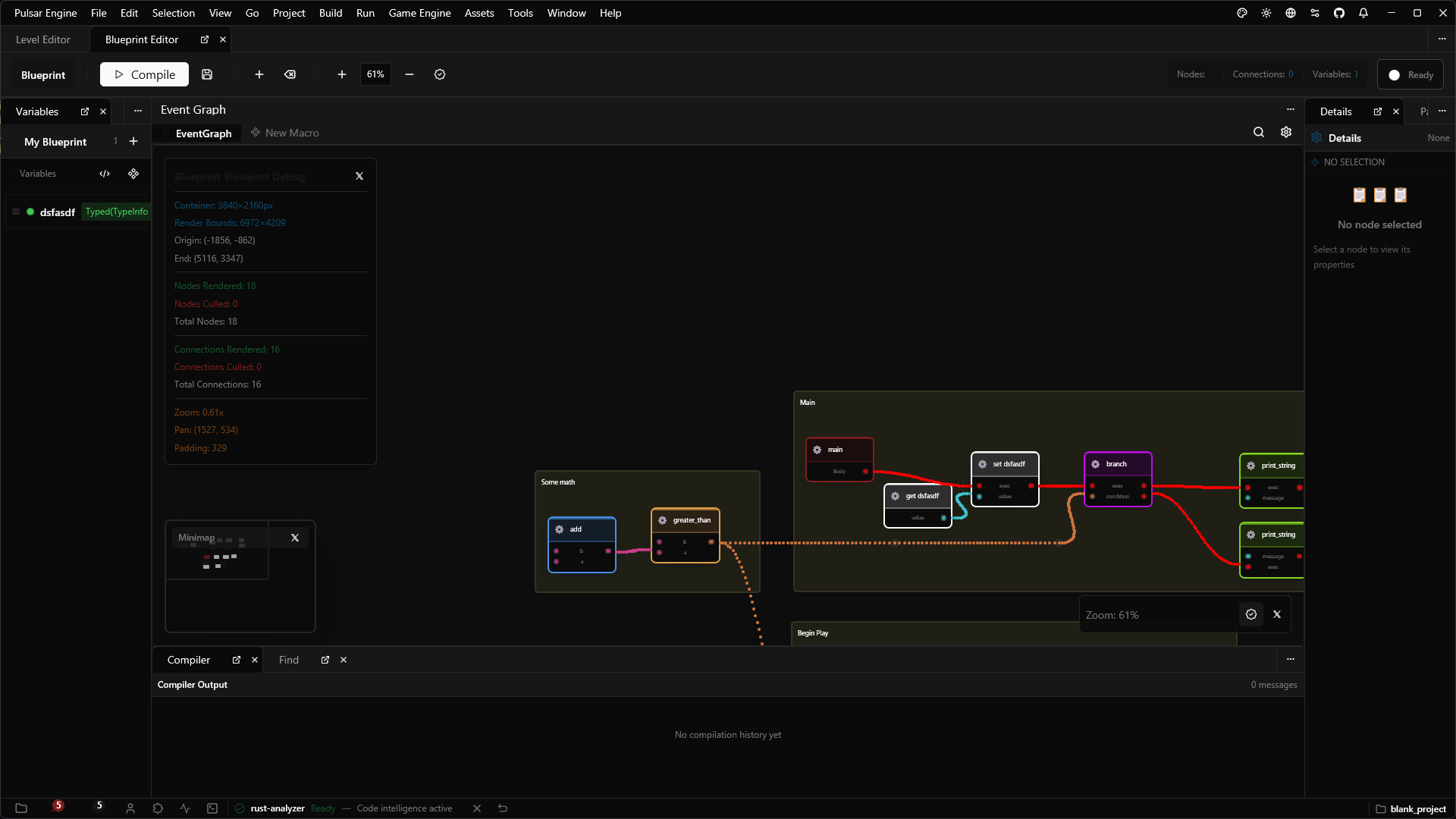
04 / Visual Scripting
Blueprints that compile
to native Rust.
Visual blueprint graphs are a first-class frontend for Rust code. Annotate any function with #[blueprint] and it appears as a node in the graph editor. Pure functions, exec-flow nodes, events, and control flow are all supported out of the box.
At runtime, blueprints execute through a lightweight bytecode VM that calls directly into Rust-backed dynamic libraries — giving designers fast iteration without touching source, and engineers full native performance where it counts.
Read the Blueprint docs05 / Developer Experience
Rust you already know.
No custom scripting language to learn. Your game code is plain Rust, with proc-macros bridging it into the editor's visual systems.
Initialize the engine, register types, and run your game.
use pulsar_std::prelude::*;

pub fn main() {
    env_logger::init();

    let mut app = PulsarApp::new();

    // Register your project types
    app.register_type::<GameState>();
    app.register_type::<Inventory>();
    app.register_type::<PlayerData>();

    // Attach game systems
    app.add_system(game_state_system);
    app.add_system(inventory_system);
    app.add_system(player_update_system);

    // Load scene and run
    app.load_scene("scenes/default.level");
    app.run();
}
07 / Community
Built in the open,
by the community.
Far-Beyond-PulsarJoin the Discussion
Have ideas or questions? Connect with contributors and share your projects on GitHub Discussions.
Contributing to Pulsar
We welcome contributions of all sizes — from documentation fixes to new rendering features.
Engine Architecture RFC
Read the open RFC on the multi-layer compositor design and how the editor pipeline works.
Help shape
Pulsar's core systems are still being designed. The best time to influence its direction — and learn along the way — is right now.